
Guide to Quoting Orders Using the Trip Board
The Avi-Go Trip Board is a centralized inquiry hub that connects brokers and operators in one unified interface. It enables operators to proactively respond to inquiries, even if they haven’t been directly assigned to them, expanding their potential to secure more deals.
- Brokers : To manage and control inquiry visibility and assign operators.
- Operators : To view, respond to, and act on inquiries promptly to secure more deals.
This tool ensures a transparent and efficient collaboration between brokers and operators.
Use Trip Board as an Operator
Step 1. Access the Trip Board
- Log in to your Avi-Go account.
- Navigate to the " Trip Board " tab to view inquiries submitted by brokers.
Step 2. Browse Inquiries
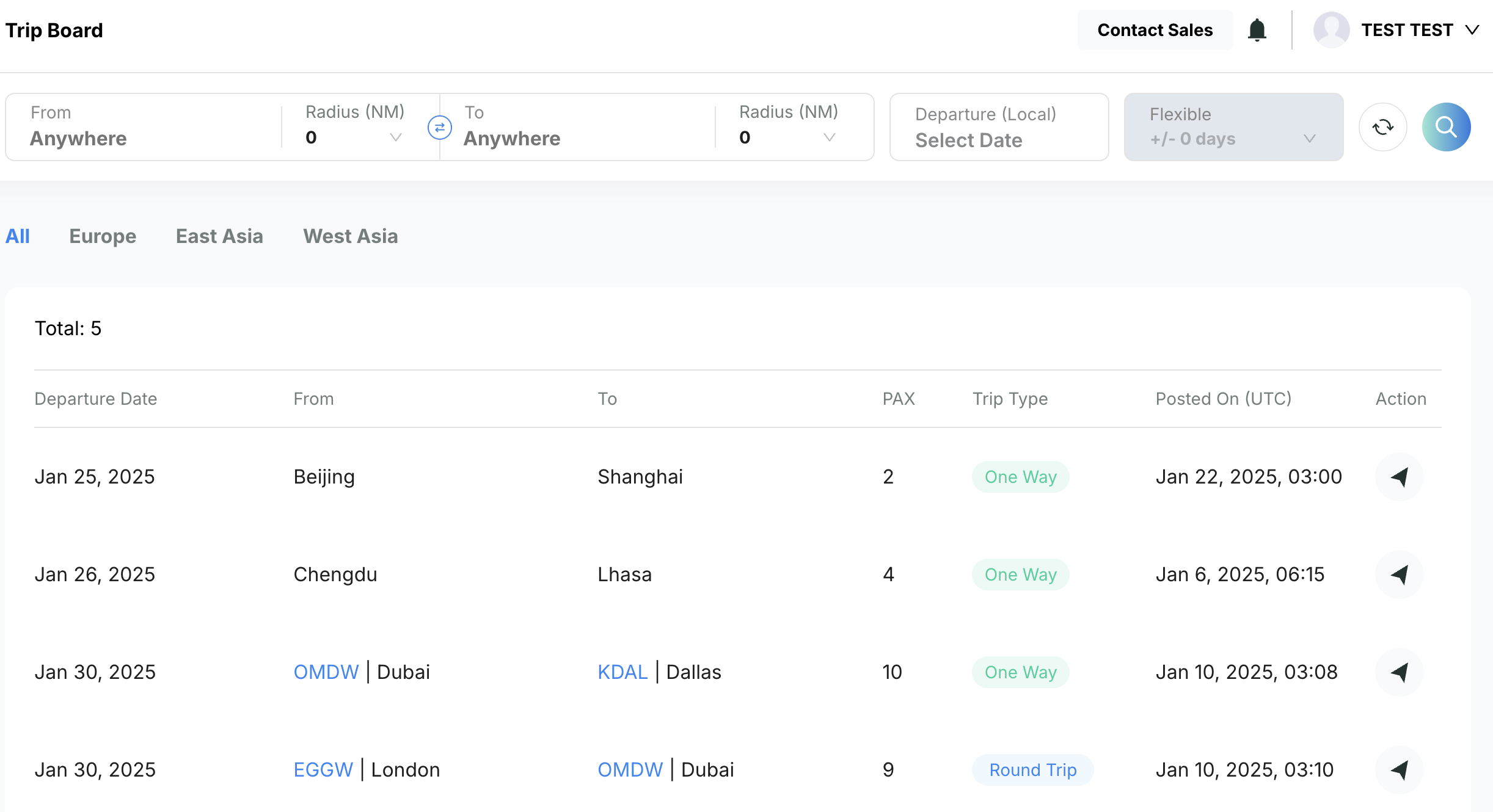
- Review public inquiries to identify opportunities that match your fleet and capabilities.
- Check important details such as trip type, departure dates, departure cities, destinations, and the post date.
- Use the search bar at the top to quickly filter inquiries based on your preferred criteria.
Step 3. Submit Quotes
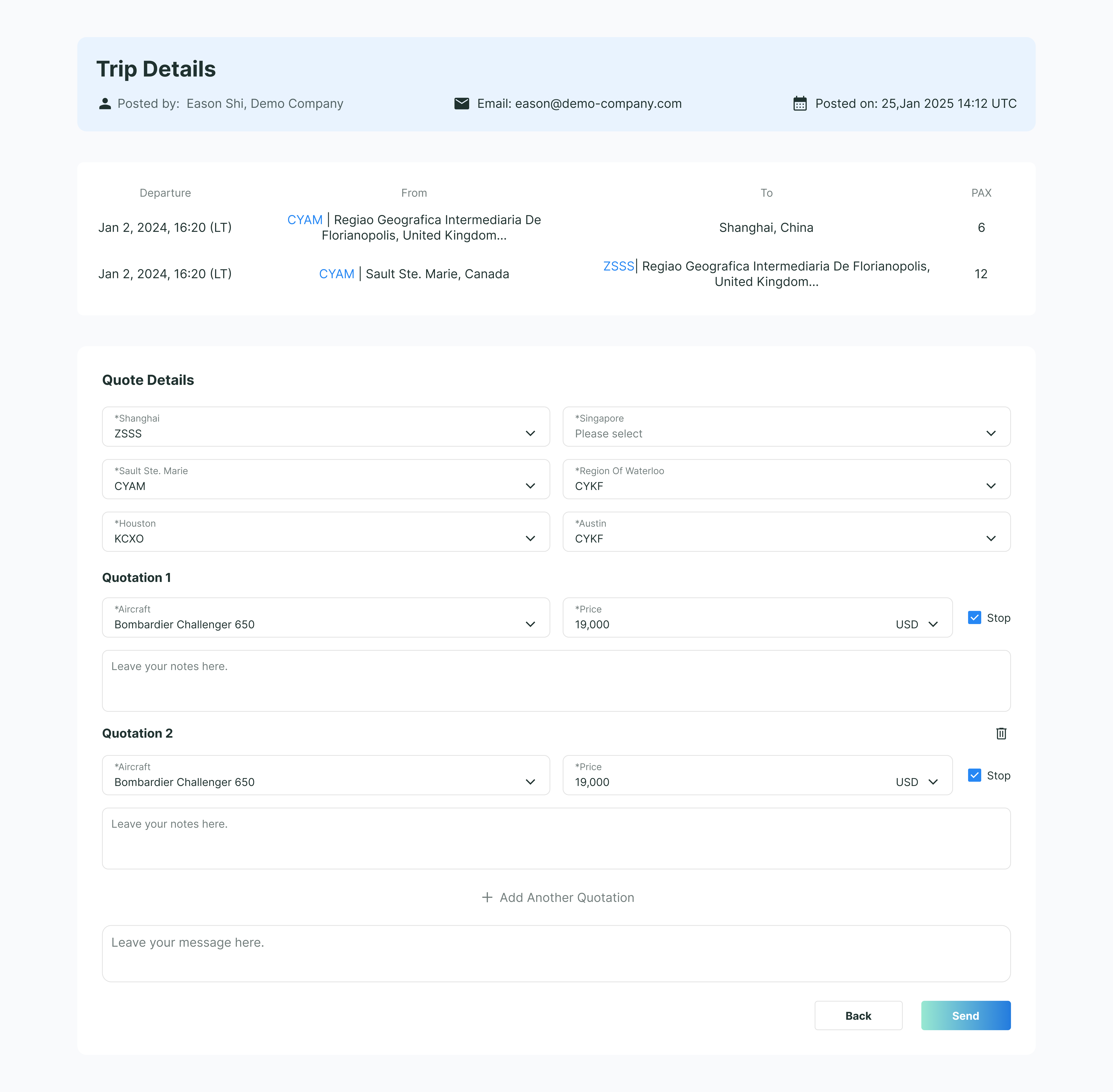
- Open the inquiry you wish to respond to by clicking on the " Action " icon on the right.
- Review the trip information to view the broker's contact information, requested departure date and time, departure city, destination city, and the number of passengers.
- Click on " Quote " to proceed with entering your quote details. Select the most suitable airports that match the needs of the trip.
- Enter the aircraft model and quoted price . If there is a fuel stop , make sure to mention it, and add any relevant remarks for the quote.
- If you'd like to provide multiple quotes for this trip, click on " Add another Quotation ."
- To add a message for the entire quote, leave your message in the "Leave your message here" field at the bottom of the Quote Details .
- Once everything is completed, click on " Send ." Your quotation will appear directly on the broker's inquiry management panel .
Use Trip Board as a Broker
Step 1. Access the Trip Board
- Log in to your Avi-Go account.
- Inquiries will automatically be added to the Trip Board after you submit your request via Aircraft Search and Empty Legs .
- Navigate to the " Trip Board " tab to view all your inquiries posted on the Trip Board by clicking on the " My Posts Only " switch button on the top right corner
Step 2. Control Inquiry Visibility
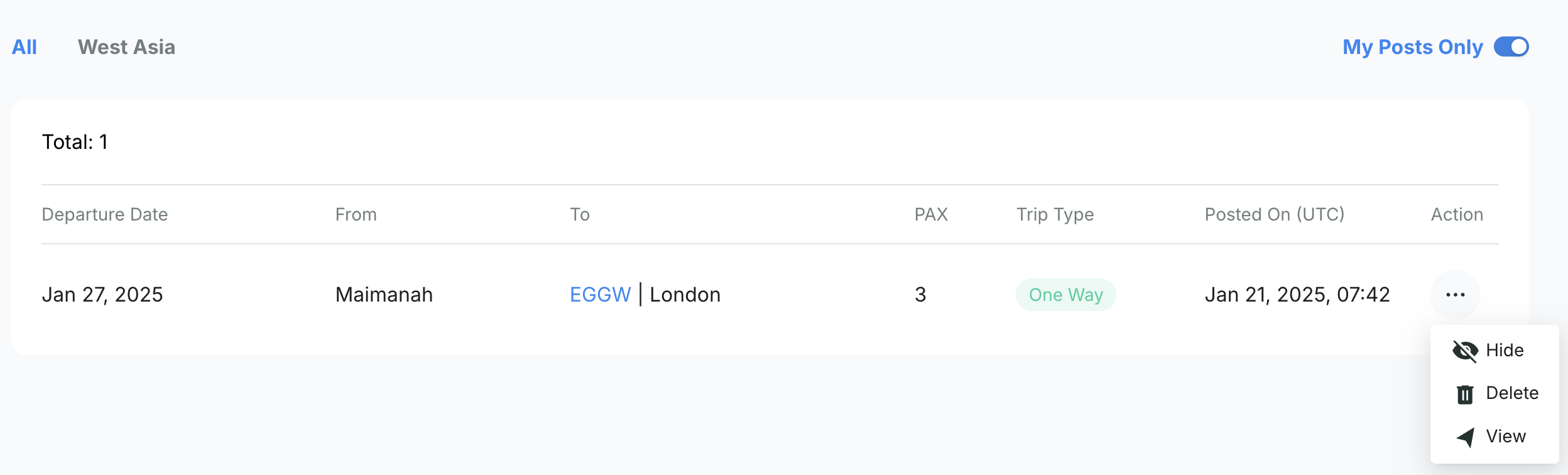
- Manage your inquiry visibility by choosing to view, hide, or delete specific inquiries on the Trip Board.
- This ensures that only selected operators can access your requests, giving you greater control over the offers you receive.
Tips for Maximizing the Trip Board
- Operators: Check the Trip Board regularly for new opportunities and respond promptly to inquiries.
- Broker: Hide posts from the Trip Board to share inquiries exclusively with trusted operators.
Subscribe to the Avi-Go Newsletter
Business aviation data, insights, and trends — trusted by 10,000+ professionals worldwide.
I agree withTerms & Conditions and Privacy Policy

Empowering Your Aviation with Data & AI








Get the latest updates and most exciting news.
Follow Updates